Pages

Showing posts with label mode. Show all posts

Thursday, July 20, 2017

Diablo III Reaper of Souls First Look Adventure Mode

Diablo III Reaper of Souls First Look Adventure Mode


Blizzard has posted a preview of the Reaper of Souls expansion pack.

Reaper of Souls� First Look: Adventure Mode
The world of Sanctuary is about to get a whole lot bigger. . .

Introducing: Adventure Mode

In Diablo IIIs upcoming expansion, Reaper of Souls�, players will have the opportunity to choose between two different modes whenever creating a new game: Campaign Mode and Adventure Mode

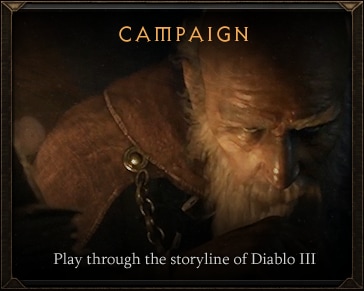
Campaign Mode

In Campaign Mode, players reprise their pivotal roles as the heroes of Sanctuary. With a greater focus on story, all of the quests, cut-scenes, and in-game movies will remain available to you in this mode. Progression through the games five thrilling Acts is intentionally linear. Campaign Mode is very similar to the current Diablo III experience.

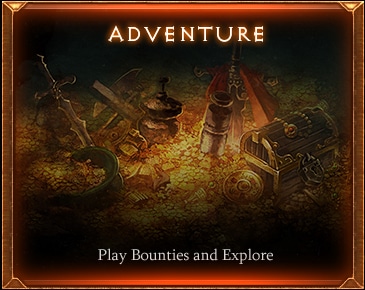
Adventure Mode

In Adventure Mode, the majority of these story-driven elements have been removed and all waypoints have been unlocked, allowing players the freedom to explore and play the game however they like�even across all Acts. The world itself is your battlefield. Go anywhere, slay anything! 
These modes can be accessed at any time, and youre welcome to switch between them whenever you please. In addition, weve unlocked all difficulty levels, giving you even more control over your in-game experience. Dont want to play through the story four times on each of your characters? Done. Looking to farm in Adventure Mode at one difficulty, then switch over to Campaign Mode at a different difficulty? Youve got it.
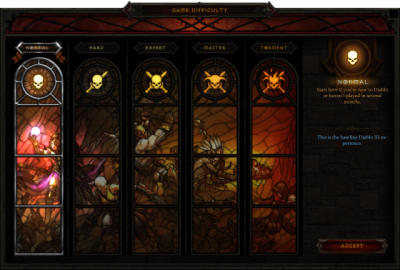
DifficultyUI_thumb.png
But thats just the tip of the iceberg. Adventure Mode also includes two brand new, incredibly entertaining gameplay features: Bounties and Nephalem Rifts.

Bounties:

Having the ability to go wherever you want whenever you want is certainly compelling. But, what if youre not in the mood to choose your own adventure and would instead prefer a little direction? Enter Bounties.
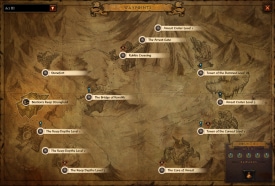
Bounties are optional, randomized objectives available only in Adventure Mode. In addition to providing players with a guided experience within a specific Act, Bounties are also intended to showcase all the different content Diablo III has to offer. Some example of Bounties you can pick up include slaying a unique monster (like Mira Eamon), killing a boss (like Queen Aranae), clearing a dungeon (like the Khazra Den), and completing an event (like Last Stand of the Ancients).
Each Act will have its own set of randomized Bounties for players to explore and conquer, and youll receive new Bounties each time you start a new Adventure Mode game. 
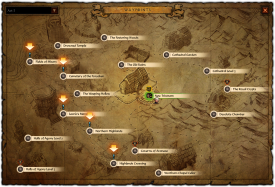
Adventure_Act1_thumb.pngAdventure_Act3_thumb.png
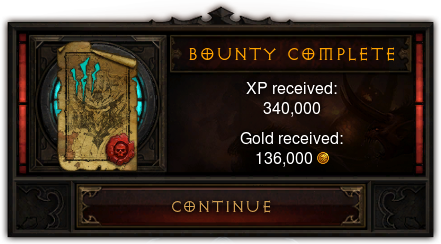
For completing a set of Bounties, players will receive gold and experience. We also want Bounties to provide access to powerful Legendary items unique to the system, but were still experimenting with how that reward mechanic will work. Definitely stay tuned!
Adventure_BountyComplete.png
Bounty hunters are also rewarded with a new item, Rift Keystones. Rift Keystones grant access to another feature were introducing in Adventure Mode: Nephalem Rifts.

Nephalem Rifts:

Nephalem Rifts (previously called "Loot Runs") are randomized dungeons that are designed to be completed within 10-15 minutes. The goal of Nephalem Rifts is to provide players with a rewarding, endlessly replayable experience, one that continually offers new and exciting moment-to-moment gameplay. . .as well as heaps of loot. Theyre also what senior level designer Jesse McCree likes to describe as an opportunity to "break all the rules."
So, what does this mean in terms of actual gameplay?
First off, it means that Nephalem Rifts are completely randomized, featuring different content from Acts I-V�random interior and exterior tile sets, random layouts, random lighting and weather, random monsters, and (of course) a random boss encounter to cap it all off.  Each Nephalem Rift dungeon can be up to 10 levels deep, but even thats random too!
Heres just a peek at some of the crazy combinations you can experience as a result of this design:
Adventure_Bosses_thumb.pngAdventure_NephalemRifts_thumb.pngAdventure_RandomDungeon2_thumb.pngAdventure_RandomDungeon1_thum.png
In the spirit of breaking all the rules, Nephalem Rifts also include new shrines that will provide players with some pretty insane temporary buffs when activated, things like invulnerability, massive movement speed boosts, and a lightning aura that will one-shot any enemies who get within range. While these shrines would be overpowered in the campaign, they fit well within the self-contained environment of Nephalem Rifts.
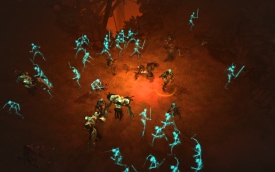
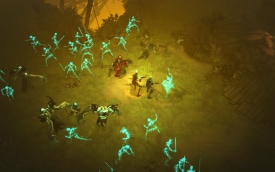
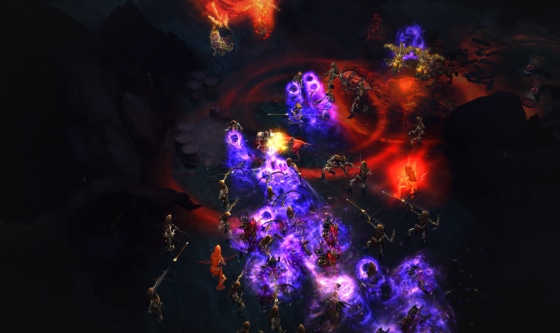
Weve had fun experimenting with monster density as well, which means theres always a chance your Nephalem Rift (or even one of the levels within a specific Rift youve opened) might suddenly get a little. . .crowded. For example, what would happen if we paired Skeleton Summoners from Act I and Morlu Incinerators from Act IV? Well, itd look a little something like this:
Adventure_MonsterDensity_thumb2.png
(Pretty cool, right?)
To access Nephalem Rifts, simply bring a Rift Keystone to any town hub and click on the nearest Nephalem Obelisk. Step through the portal and get ready to kill ALL the things. As noted above, Rift Keystones can be earned by completing Bounties; however, they can also drop randomly anywhere in the world while in Adventure Mode.
Happy hunting!

BlizzCon 2013 Sneak Peek:

As a special treat, weve put together a short video featuring Nephalem Rifts in all their random, chaotic glory. Please enjoy this first look at Diablo III: Reaper of Souls!

If youre at BlizzCon this weekend, you can try out Adventure Mode first-hand at the Diablo III: Reaper of Souls PC demo area in Hall A of the Anaheim Convention Center. Just queue for the "Adventure Mode" line and get ready to explore!
For those of you at home or tuning in with a Virtual Ticket, be sure to stay tuned to diablo3.com for all the latest new and updates, including panel recaps, interviews, photos and links to coverage from media and fan sites in attendance.
Read more »

Thursday, July 6, 2017

Diablo II Getting Ladder Only Runewords Working In Single Player Mode Without Any Addons Updated for Patch 1 14d

Diablo II Getting Ladder Only Runewords Working In Single Player Mode Without Any Addons Updated for Patch 1 14d


[This post is currently being uploaded as Text Only for now - I will add images and some screenshots to it Soon�]

[Update 2016-06: As of Patch 1.14, where the save game information is kept has changed. I have tested this process and all changes are noted within**, including relocation of Runes.txt placement. This process still works as of this Patch.]

[Update 2016-07-03: As of Patch 1.14d, the save game information has been reverted by Blizzard back to the older instructions. The section at the bottom, talking about creating the Subfolders and Runes.txt in the Windows User location is not needed in 1.14D - the steps talking about creating Subfolders and the Runes.txt are still required overall though, but work once again for the Game Installation location itself - tested this as of this Update ...date.] 


[Personal note at end �  certain Runewords are not working?]


I recently re-installed Diablo2, ready to once again enjoy days gone by of Monsters, Magic and Loot... I wrote an article last year, about getting the scroll-wheel to work for switching spells/skills (the Right Mouse Secondary Skill functions) in D2, in Windows. That post is located here:
http://gametipsandmore.blogspot.ca/2014/06/diablo-ii-getting-scrollwheel-to-work.html

After setting up the mouse-wheel once again, I started up a Single-Player game and made a character for it [a Necromancer, as I love Summoners]. I had collected some Runes for Runewords in the past, archiving them for SinglePlayer with The Hero Editor, a small utility that can save items found in Single Player Mode, by Exporting them to files on a local system/disk (as Diablo 2 Item [.d2i] files), which can then be Imported at a later time, into a future Character in Single Player Mode [only] through the same utility [which was "written mainly by Shokaku and ZonFire99" according to the ReadMe file for it].

Using the Hero Editor, I imported past runes and gems into my new character, using the Horadric Cube to create higher Runes I needed, for creating some Runewords. After trying to create an Enigma armor, I found that it was a Runeword that was not craftable in Single Player Mode (when trying to create it, the item simply fills up with the Runes used and utilizes the bonuses from the single Runes themselves, not creating the Special Item that the Runeword would normally create, in an online, BattleNet game).

Searching online for some clues as to what could be done, I found in a few forums, mention of Addons that could possibly be used to create Ladder-Only Runewords in Single Player games. For now, I went looking for ways to craft Runewords in D2 without Addons. What I found, were various instructions to create a Text file in a created Subdirectory of Diablo2, where the Single Player game would use it as a source for Runewords... great! The only issue was that there seemed to be some variance for how the Subfolders should be created/named, to make the Text file work (there were multiple versions of information on what the subfolders should be).

Experimenting on my own then, I found the path of folders that would need to be created within the Diablo2 directory, in order to get this Text file to work. Just to summarize again, what this will do is:

� Allow Diablo II to use Ladder-Only Runewords in Single Player games, by reading Runeword information from a Text file (with no outside Addons or Mods needed to do so)


To do this, here is the working folder structure to create in the Diablo II directory:

<D2 installation folder>/Data/Global/Excel/Runes.txt


The steps to create the above folder structure are:

  • in the Diablo II directory, create a New Folder called Data
  • in the newly-created Data folder, create a New Folder called Global
  • in the newly-created Global folder, create a New Folder called Excel
  • in the newly-created folder called Excel, place the Text file from my PasteBin here:
    http://pastebin.com/xGLWhmZ1(If you do not feel comfortable Downloading anything at all for this procedure, simply copy and paste the text from that website and paste it into a text file, one that you create in the Excel folder, within the Diablo II directory structure you just created via the above - be sure to name the text file Runes.txt)
  • lastly, add "-direct" and "-txt" to the Shortcut Properties for the "Diablo II.exe" file that starts up the game. The quotation marks arent added, only the commands, such that the Target line in the Shortcut should then look like this:
    "C:Program Files (x86)Diablo IIDiablo II.exe" -direct -txt
    (the above line assumes that it is installed into the C: drive of the system. If you installed Diablo2 into a different drive/partition, the first letter would be whatever your drive letter is of where D2 is installed - the main part to match is the end portions, the "-direct -txt" added to the end, which allows usage of the Text file used in this process)

Thats it!

What should occur in theory is, Diablo2 will use the Runeword information from that text file, allowing Runewords to now function within the Single Player game mode (even ones that are "Ladder Only")!

After "cubing-up" some new Runes that I did not have [using a Hero Editor to save/import the ones I had], I created an Enigma Runeword armor. Then, to specifically test the procedure above with a "Ladder-Only Runeword", I attempted to create an Insight for my Merc - and it worked! Hopefully, this will help you utilize Runewords in Single Player, too.


Note: Although I talked about a utility called Hero Editor within this post, it is not a required aspect of the steps above [ie. I use it for Item saving, not Runeword creation]. Also, although an "Excel" folder is created, neither Microsoft Office nor Excel or any other Spreadsheet-type of application need be present on the system - only a simple Text file and a few New Folders created are all that is needed.


** Update for Patch 1.14:

The file structure has changed, for where the game saves your character files, as of this Patch.

While I am not a developer for Blizzard, looking at the effects this Patch will have with Windows, I assume this was done to create a maintainable save game system for people upgrading from Windows 7/8/8.1 to Windows 10, as upgrading Windows [or reinstalling the game itself, if needed] will then not affect your save games in any way and they can then still be found by Diablo 2 (Single Player, etc) [by using this new directory setup implemented in 1.14].

As of Patch 1.14, your save game information is now located at:

C:/Users/<YOUR USER NAME>/Saved Games/Diablo II/

Your saved games, maps and characters are all now within that folder above [assuming C: as your Windows Installation Drive/Location, or where Windows and Saved Games can be found].

To continue using Runewords in Single Player with Patch 1.14, simply create new folders within (the Data folder may already be present), so that your file structure looks like this:

C:/Users/<YOUR USER NAME>/Saved Games/Diablo II/Data/Global/Excel/Runes.txt

Placing the Runes.txt folder within the Excel folder, as shown above, will then allow you to continue using Runewords in Single Player with the new file structure utilized in Patch 1.14 [personally tested as of 2016-06-06].


Tip: Dont forget to add "-direct" and "-txt" to the Shortcut Properties for the "Diablo II.exe", if needed, so that the end of the Shortcut Target line looks like this:
... Diablo IIDiablo II.exe" -direct -txt


Enjoy - and See You In The Game sometime on BattleNet!


[Personal Log, Regarding Addons, Mods and Utilities: Just a quick mention of my remark regarding without any addons above - I have used Addons, Mods and Utilities in the past, with games, and will likely do so in the future - however, mostly for security reasons, I normally do not and usually advise others against them at first. I realize that most of them are safe, hence my own usage of addons, mods and utilities at times; but because of the chance to encounter security risks, I usually advise against them initially, if people ask me for input. In the end though, most Addons, Mods and Utilities for most games are Safe and offer great functionality, the result of many hours of hard work that their creators have poured into them (if you use Addons or Mods or Utilities for games and you liked them, let their creators know, if you can)]


[Because this post is over a year old now, I have made a newer one (here at the blog, in June/July 2016) talking about this process again, with a bit more detailed instructions (a few screenshots showing the process) - along with my experiences of installing/playing D2 in Windows 10 - if its not on the front page anymore, that article can be located by going direct to the blog posting here.]


� [It seems that certain Runewords were not working for some people, according to various forum posts, using Add-Ons and other methods. For example, the Runeword EDGE, did not work for some. I have personally created INSIGHT and other Runewords, so this was puzzling. I investigated this potential limitation and found that it may be due to either limitations in the Add-On/Program being used, or the Runes.txt file itself containing Commas, which can occur if the file is opened in a Spreadsheet application (which may turn the file into a Comma-delimited format (using Commas to separate sections)) - be sure to utilize my methods above and the text direct from my Pastebin source (copying it into a Text file or downloading it as a Text file), or use the text I re-pasted into a Code area at my newer article on this, here, copying it in to a Text file and placing it into the Data/Global/Excel subfolder. As of 2016-07-06 I personally tested the Runeword EDGE and it worked using these methods. I hope it works for you as well!] 


Read more »

Monday, June 19, 2017

Detect and check if your app run in multi window mode

Detect and check if your app run in multi window mode


This example show how to detect and check if your app run in multi window mode, target Android N with Multi-Window Support, by calling isInMultiWindowMode() and override onMultiWindowModeChanged() methods.


package com.blogspot.android_er.androidmultiwindow;

import android.os.Bundle;
import android.support.v7.app.AppCompatActivity;
import android.widget.TextView;

public class MainActivity extends AppCompatActivity {

TextView textPrompt;

@Override
protected void onCreate(Bundle savedInstanceState) {
super.onCreate(savedInstanceState);
setContentView(R.layout.activity_main);
textPrompt = (TextView)findViewById(R.id.prompt);

if(isInMultiWindowMode()){
textPrompt.setText("onCreate run In Multi Window Mode ");
}else{
textPrompt.setText("onCreate run NOT In Multi Window Mode ");
}
}

@Override
public void onMultiWindowModeChanged(boolean isInMultiWindowMode) {
super.onMultiWindowModeChanged(isInMultiWindowMode);

if(isInMultiWindowMode){
textPrompt.setText("It is In Multi Window Mode ");
}else{
textPrompt.setText("It is NOT In Multi Window Mode ");
}
}
}


<?xml version="1.0" encoding="utf-8"?>
<LinearLayout

android_layout_width="match_parent"
android_layout_height="match_parent"
android_padding="16dp"
android_orientation="vertical"
tools_context="com.blogspot.android_er.androidmultiwindow.MainActivity">

<TextView
android_layout_width="wrap_content"
android_layout_height="wrap_content"
android_layout_margin="20dp"
android_layout_gravity="center_horizontal"
android_autoLink="web"
android_text="http://android-er.blogspot.com/"
android_textStyle="bold"/>
<TextView
android_id="@+id/prompt"
android_layout_width="match_parent"
android_layout_height="wrap_content"
android_textSize="28dp"
android_textStyle="bold"/>
</LinearLayout>


Next:
- onConfigurationChanged() called when window size changed in Multi-Window Mode

Read more »

Thursday, June 8, 2017

Diablo III Devs Agree On Open World Mode

Diablo III Devs Agree On Open World Mode


Looks like the Blizzard devs want an open world mode in Diablo III too:

Blizzard tracker: June 25, 2013

ll quote Wyatt Cheng in this post so you guys dont have to follow the link I posted earlier. 

Weve talked about open world, where you can skip story and cinematics. I shouldnt use the word, "talked about". That can be ambiguous, where it can mean "oh it was mentioned" as opposed to, "no, we actually sat down and assessed the production cost, and time, and weighed it against other opportunities." We cant chase everything at once, so we have to look at the 100 things we could do, and pick the ones that we want to do. If we do for example, a no-quest open world mode, then we might not be able to do an alternate monster distribution for an area. Thats not an accurate comparison, but we definitely look at all the things that wed like to do. For alternate distribution, Ill mention that: I would love if I came by an area, and it wasnt always the same monsters. Diablo 2 did some of that, where you came through an area and the distribution was different. It still made sense artistically for the area, but there was a little more variety.


I know a lot of you would like more concrete details on dates, or even a time frame estimate, but I dont have any to share right now. We�d still prefer to talk about things were working on as early as possible rather than remaining silent (caveat: I know there are some of you who may disagree with this approach). That said, I think what Wyatt is talking about sounds pretty awesome, and we�ve seen a bunch of posts from the community on this topic. A lot of you mentioned it would be cool if there was a mode where there was an open world mode with no story, and I think its good for you to know that there are senior developers on the same page.

Source
Read more »

Wednesday, May 31, 2017

Disable Password Protect Single User Mode RHEL CentOS 5 x 6 x

Disable Password Protect Single User Mode RHEL CentOS 5 x 6 x


Hello All,
If you have not protected Single User Mode with Password then it is big risk for your Linux Server, So protecting Single User Mode with Password is very important when it comes to security,
Today in this article i will show you how you can protect Single User Mode with Password on RHEL / CentOS 5.x and RHEL / CentOS 6.x.


Read more : http://www.tejasbarot.com/2014/05/05/disable-password-protect-single-user-mode-rhel-centos-5-x-6-x/
Read more »